You’re Googling Yourself Wrong
How Shop Owners Fool Themselves About Their Own Visibility
Every shop owner does it.
You pick up your phone, type your service into Google, and see what comes up. Maybe you search “oil change near me.” Maybe you search your shop name. Maybe you ask a friend to try it. And then, based on what you see, you draw conclusions about how visible your business is.
The problem is that almost every way shop owners search for themselves gives them misleading information. Not because Google is broken. Because the way they’re searching doesn’t reflect how their actual customers are searching.
And with AI search, it gets even worse.
The Proximity Problem
This is the most common one we see.
You’re standing inside your shop. You pull out your phone. You search “auto repair near me.” And you see your competitors listed above you.
Panic.
But think about what just happened. Google knows exactly where you are. You’re at your shop. It’s not going to recommend you to yourself. It’s going to show you other nearby options because, from its perspective, you’re a customer who already found the place they’re standing in.
Your actual customers aren’t searching from inside your shop. They’re searching from home, from work, from the side of the road. The results they see are different from the results you see. Proximity is one of the strongest ranking factors in local search. Searching from your own location gives you a completely distorted picture of what your customers experience.
The Beach Problem
The flip side of the proximity problem.
You’re on vacation. You’re sitting on a beach 2,000 miles from your shop. You search “auto repair near me” and your shop doesn’t show up. Of course it doesn’t. You’re not in your market. Local search is local.
This sounds obvious, but we hear it regularly. “I was traveling and searched for my shop and couldn’t find myself.” That’s not a ranking problem. That’s geography working exactly the way it’s supposed to.
Even searching your shop by name from a distant location can produce unexpected results. Google may show it differently, deprioritize it in favor of closer options, or present it without the full map pack treatment you’re used to seeing locally. None of that means your visibility has changed for the customers who actually matter: the ones in your service area.
The Keyword Trap
This one costs shops real money.
“Oil change near me” is the search every shop owner checks. And it’s one of the least useful keywords to obsess over.
It has massive search volume. It’s also the most competitive term in auto repair. Every shop, every quick lube, every dealership, every national chain is competing for it. And oil changes are often the lowest-margin service you offer.
The keywords that actually drive revenue are more specific:
- “Brake repair [your city]”
- “Check engine light diagnosis [your city]”
- “Transmission repair near me”
- “ASE certified mechanic [your city]”
These have less search volume. They also have less competition, higher intent, and connect to higher-margin services. A customer searching “transmission repair” isn’t shopping for the cheapest option. They’re looking for someone they can trust with a major repair.
If you’re evaluating your visibility, check the keywords that matter for your business. Not the ones that matter for everyone’s business.
Do You Know What You’re Looking At?
Before you draw any conclusions about your visibility, you need to understand what a Google search results page actually looks like in 2026. It’s not just “organic results.” A single search for “auto repair near me” can now show you:
- Paid search ads at the top. These are bought, not earned. A competitor “above you” might simply be paying for that position.
- Local Service Ads in or near the local pack. These show the Google Guaranteed badge and are pay-per-lead, not pay-per-click.
- Google AI Overview at or near the top. An AI-generated summary that may recommend businesses by name. This is Gemini reading your GBP, your reviews, and your web presence and deciding who to feature.
- The Map Pack / Local 3-Pack. The three businesses shown on the map. Heavily influenced by proximity, GBP completeness, and reviews.
- Organic results below all of the above. The traditional blue links. Often pushed so far down the page that many mobile users never scroll to them.
That’s five different types of results on one page. When a shop owner says “my competitor is above me,” the first question is: where? In the ads? In the AI Overview? In the map pack? In organic? Each one has a different explanation and a different solution.
Understanding what you’re looking at is step one. Drawing conclusions without it is how shops end up chasing the wrong problem.
How to Actually Evaluate Your Visibility
If you want a realistic picture of what your customers see, here’s how to do it:
- Search from home, not from the shop. Your home is much closer to where most of your customers are searching from than your shop is.
- Use an incognito or private browser window. Your regular browser has your search history, logged-in accounts, and cookies that all influence what you see. Incognito strips that out.
- Use a location simulation tool. Browser plugins like GS Location Changer or similar tools let you set your search location to different parts of your service area. This shows you what customers in different neighborhoods see when they search.
- Try different devices. Results on your phone, your laptop, and your tablet can all look different. Mobile and desktop search results are not identical.
- Ask someone in your market to search. A friend, a family member, a customer you trust. Have them search the terms you care about from their device, in your service area. Screenshot the results. This is the most realistic test you can run.
- Try multiple queries. Don’t just search one term. Search your service types, your specialties, your city name with different keywords. Your visibility may vary significantly from one query to the next.
Now Multiply All of This by AI
Everything above applies to traditional Google search. With AI search, the evaluation problem gets significantly harder. Here’s why. (We covered this in depth in Post 7.)
With Google, you at least get a list. Ten organic results. A map pack. Ads. You can see where you rank relative to competitors. You can track it over time. You can compare.
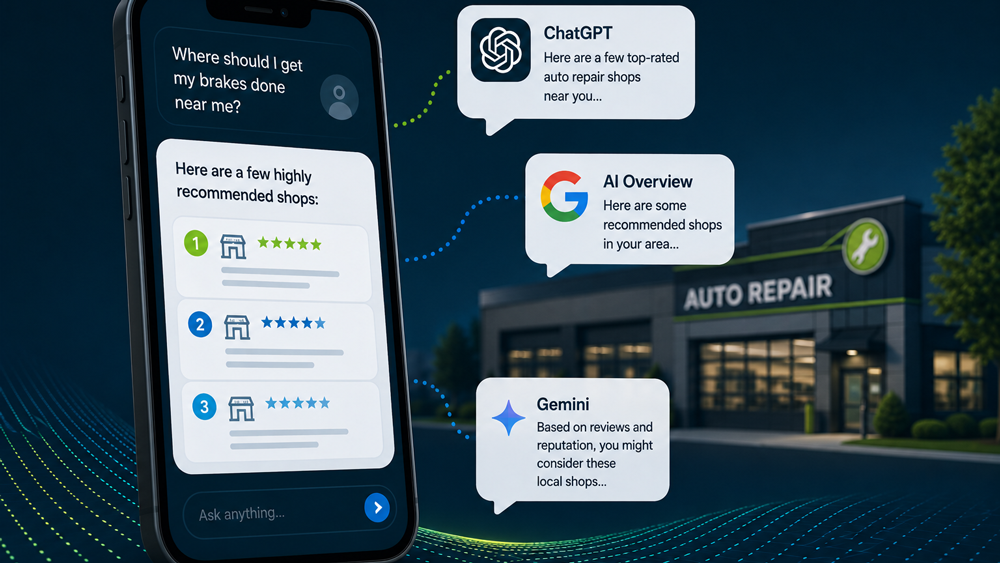
With AI, you get a recommendation. One or two shops. No list. No rankings to analyze. No way to see what the customer asked or what context shaped the answer.
And as we’ve discussed throughout this series:
- The same question in two different AI conversations can produce different recommendations.
- Changing the phrasing changes the results.
- Whether web search is on or off changes the results.
- There is no fixed position to track or optimize for.
Proximity works differently with AI too. In traditional Google search, being close to the searcher is one of the strongest ranking factors. With AI, it depends on how the question is asked. “Auto repair near me” still favors proximity. But “best mechanic in [city]” shifts the weight toward reputation: reviews, authority, trust. And increasingly, that’s how people ask AI for recommendations. They’re not searching a keyword. They’re asking for advice.
Recent research found that only 45% of businesses that rank well in Google’s local search also appear in AI recommendations. More than half the shops winning the map pack are completely absent from AI answers. That’s how different these two environments are.
So when a shop owner says “I asked ChatGPT who the best mechanic in my city is and it didn’t recommend me,” the right response isn’t panic. It’s “what exactly did you ask, and have you tried asking it differently?” Because the next conversation might give a completely different answer.
The AI Competitor Comparison Trap
One more scenario we see regularly. A shop owner asks ChatGPT: “Compare my shop to competitors in my area.” They get back a structured analysis with estimated ratings, assumed services, and suggested differentiators. It looks like competitive intelligence. It’s not. We covered this in Post 2 and it’s worth revisiting:
AI cannot see real Google rankings, review velocity, actual service pricing, customer overlap, revenue, bay count, or any operational data. What it gives you is a surface-level framework built from fragments of public information. The structure might be useful for thinking. Treating it as verified intelligence is where shops get into trouble.
If you want to understand your competitive position, use real data. Your actual search rankings (check them properly using the methods above). Your actual review count and recency vs. competitors. Your actual Google Business Profile completeness vs. theirs. These are things you can observe yourself. AI can’t do it for you.
What to Bring to Your Marketing Provider
When you have a concern about visibility, the conversation goes better when you bring specifics. Instead of “I can’t find myself on Google,” try:
- Here’s exactly what I searched.
- Here’s where I was when I searched (at the shop, at home, traveling).
- Here’s what device I used.
- Here’s a screenshot of what I saw.
- Here’s whether I was looking at organic results, the map pack, or ads.
That gives your provider something real to work with. Without that context, they’re troubleshooting a phantom problem that may not exist for actual customers.
The same applies to AI. If you searched in ChatGPT, Gemini, or Claude and didn’t see your shop: what did you ask? Was web search turned on? Did you try it again in a new conversation? The context of the search matters as much as the result.
The Bottom Line
Your visibility is real. But how you evaluate it can easily mislead you.
Search from where your customers are, not from where you are. Check the keywords that drive your actual revenue, not the generic terms everyone fights over. Know the difference between organic, map pack, and paid. And understand that AI search doesn’t have a stable ranking you can check once and track over time.
The shops that make the best decisions about their marketing are the ones who evaluate their visibility with the right tools, from the right locations, asking the right questions. Everything else is noise.
What’s Next
We’ve been testing AI visibility across hundreds of locations for the last several months. What actually moves the needle? What doesn’t? What surprised us? We’ll be sharing the results in an upcoming post.
If you’re new to the series:
Catch up on the series: Post 1 • Post 2 • Post 3 • Post 4 • Post 5 • Post 6 • Post 7 • Post 8 • Post 9 • Post 10
For the full framework: The Shop Owner’s Guide to AI in Marketing.
Heather Myers is the Chief Technology Officer at KUKUI, where she builds marketing and customer engagement technology for independent auto repair shops. Before joining the automotive technology space, she built information systems for public and academic libraries.
This is the tenth post in our ongoing series, AI Is a Flashlight, Not a Map. New posts publish every two weeks.
Categories
Archives